This switch with 2 options, the default 'Specific Unbilled' enables you to specify the mutually exclusive minor options like date range, the accession range or the list of discrete accessions, and the
'All Unbilled'. The 'All Unbilled' option does not let you specify any of the minor options.
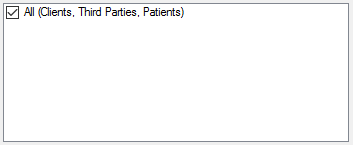
This drop down is used to select the desired billing type to get synchronized. The selection of 'All (Clients, Third Parties, Patients) is not recommended. Synchronization is preferred to be done indicidually.
Enter each accession per line or copy the entire list of accessions (from any App like Notepad, Excel or similar), right click the row of this field and paste.
This field displays the target Bilee's, based on the Billing Type selected. For the Client Billing, it displays the Clinics and Physicians, for the Third Party Billing, it displays the Insurance Companies and for the Patient Billing, it displays the patients to be billed.
The Results Switch with 2 options, the default 'With Results Only' forces Prolis to consider the presence of analysis result, while synchronization and the other 'Ignore Results' does not consider results at all. Thus it will synchronize disregarding the results. The default option 'With Results Only' is recommended.
A dot (.) is a specific character within Prolis that is used to suppress the test result from appearing in the patient result report. Thus a suppressed test is not supposed to be billed. The default option (checked) represents the logical behavior and is recommended.
A Lab Accident(LAE) is a check field that can be used to indicate an accident with the term LAE in the result. Thus an LAE'd test is not supposed to be billed. The default option (checked) represents the logical behavior and is recommended.
The QNS (Quantity Not Sufficient) check field that can be used not to include the test for the billing. The default option (checked) represents the logical behavior and is recommended.