All specimens accessioned in Prolis are needed to report to the ordering clinicians after getting resulted and released by the lab personel.
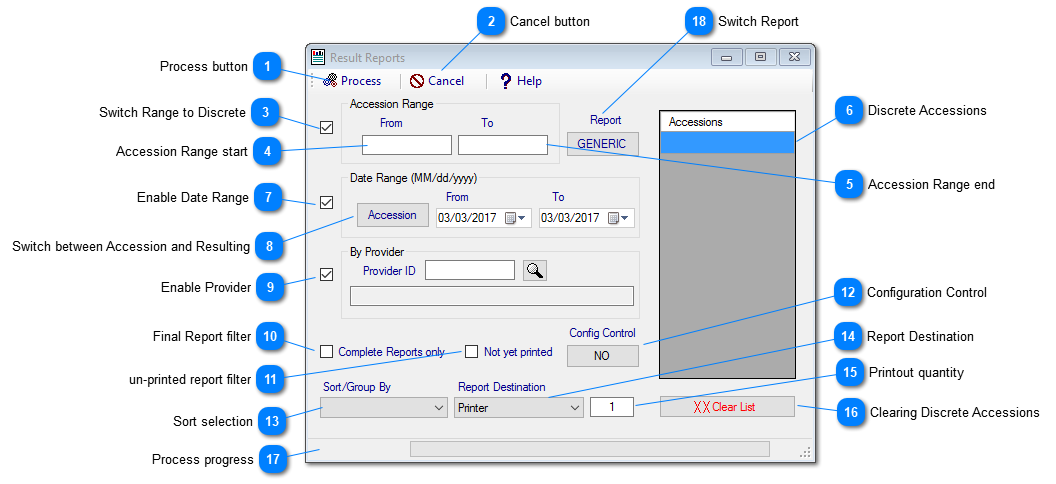
Prolis provides a routine named 'Result Reports' under the 'Reporting' menu.
Instant Procedure
a. Make selection by either entering the accession range, entering discrete accessions or using the date range.
b. Optionall apply filter by entering the provider and/or checking Final only and/or checking un-printed and/or
using the configuration control and/or changing the sortselection.
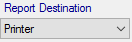
c. Select the Destination among Printer, Screen, Interface, Fax, Prolison and Email. Default is Printer.
d. Click the process button.
 Process buttonClicking this button will start processing the reports based on your selection. The process of physical printing is a
background process but other procedures are not.
|
|
 Cancel buttonClicking this button will stop the background process of printing if running otherwise will close the screen.
|
|
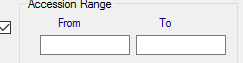
 Switch Range to DiscreteBy default this checkbox is checked, means you can start entering the first accession and/or optionally
enter the last accession in the range. All accessions between first and the last will be processed.
|
|
 Accession Range startFirst accession in the accession range. The field is exclussive to the discrete accessions field.
|
|
 Accession Range endLast accession in the accession range. The field is exclussive to the discrete accessions field.
|
|
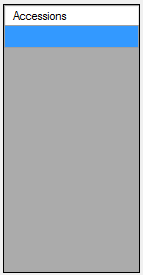
 Discrete AccessionsDiscrete accessions field is to enter multiple random accessions, not in range. This field is exclussive
to both of the fields of accession range.
|
|
 Enable Date RangeChecking the left most checkbox will enable the date range to be used.
|
|
 Switch between Accession and ResultingClicking will switch between Accession date and the Resulting date.
|
|
 Enable ProviderThe left most checkbox needs to be checked for this provider filter to be used. After enabling it either
enter the provider ID in the text box if known or use the lookup button on the right to select the provider.
|
|
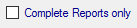
 Final Report filterCheck this checkbox to instruct the system, to process the final reports only.
|
|
 un-printed report filterCheck this box to indicate for un-printed reports only.
|
|
 Configuration Control"NO' choice in this option will process the reports per your selection and filters used in this routine
but a 'YES' choice will cause Prolis to use the confuguration setup in the ordering client and transfered
to the accessions per your selection. This is the recommended way to print the reports for clinicians
who are configured to get the phycal printout of the report. 'YES' is an advanced filter.
|
|
 Sort selectionProlis will process the reports giving you the final sort selected here.
|
|
 Report DestinationThis field is to select the Destination among Printer, Screen, Interface, Fax, Prolison and Email. Default is Printer.
|
|
 Printout quantityIndicate the number of copies desired to be printed for each accession.
|
|
 Clearing Discrete AccessionsThis button can be used to clear the entire discrete field.
|
|
 Process progressThe left section indicates the current record of the total records and the rignt section is a visual progress.
|
|
 Switch ReportGenerally Prolis uses the specific report if setup in the ordering provider's configuration otherwise the report setup
in the system configuration, is used. This switch can be used to switch between the reports setup in the system
configuration. This switch does not play any part if Prolis finds any report setup in the provider configuration.
|
|