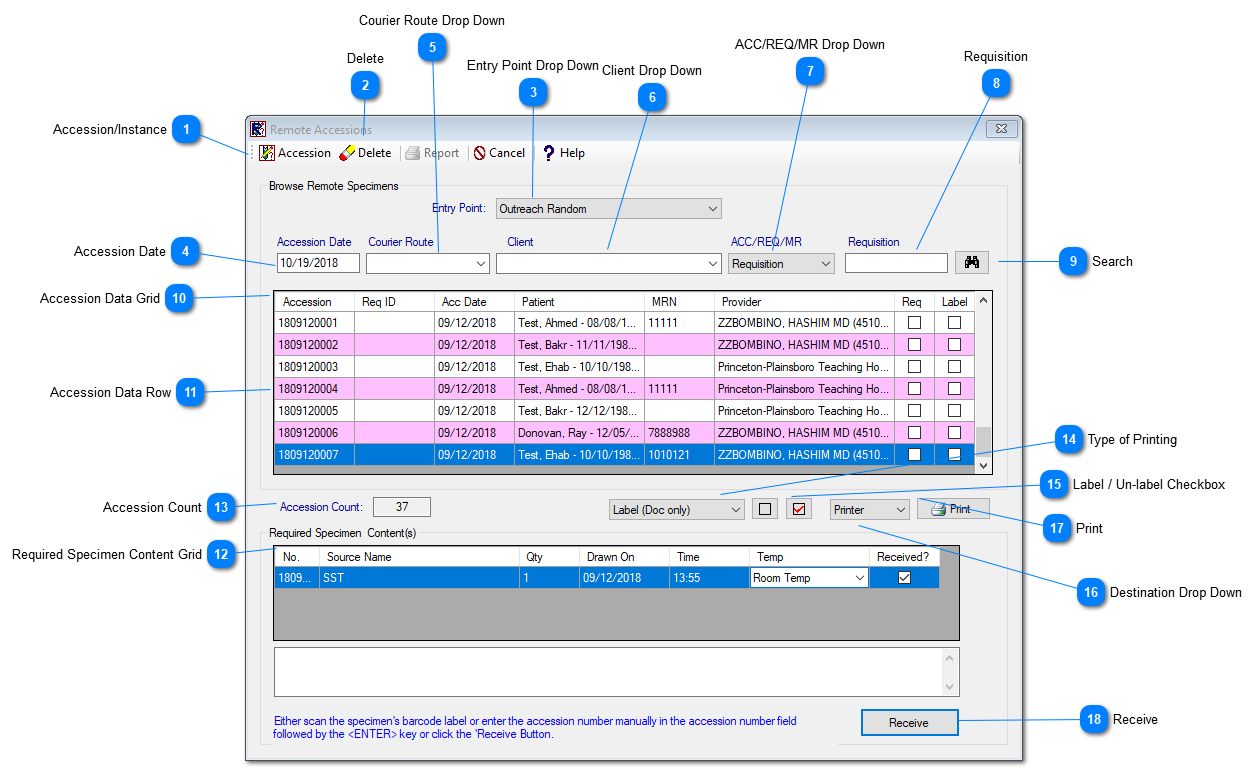
Under the Accessions, PROLIS provides a routine to manage Remote Accessions. Remote Accessions come from external sources such as the web portal (Outreach) or an EMR integration. They can also be accessions done in the lab, when the lab has yet to receive the sample. This module receives the specimens of the orders created locally as well as remotely.
Instant Procedure:
Select the 'Entry Point' for the Remote Accessions. By default, the 'Entry Point' is "All" for search.
Optionally, user can search by providing the 'Courier Route', or Client and/or ACC/Req/MNR number.
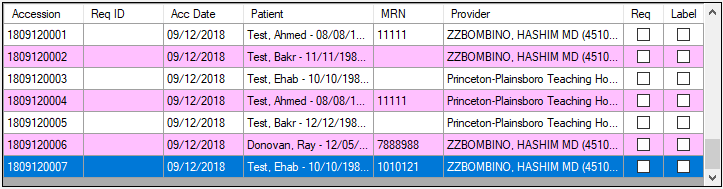
Click on Search Button to get the data in the Data Grid.
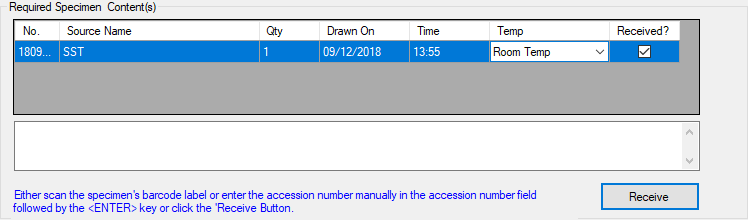
Select a particular record from the Datagrid, the required specimens content grid will pop-up for that accession.
Select the Received-check box in the grid if specimens received.
Click the Receive button.
Accession/Instance
Accession/Instance :The toggle switch, to switch the routines mode between 'Accession' and 'Instance' mode.The default mode is 'Accession' mode. Currently accession mode is the only active mode. Instance will be part of a future update.
The Entry point drop down suggests the ways from where the PROLIS can get the Remote Accessions. By default, it will have 'ALL'. Other Entry Points are:
EMR Random: Orders created in EMR systems that are transferred through Prolis via an interface.
In-Lab Infinite: Standing orders created by the lab without a definite end date.
In-Lab Timed: Standing orders created by the lab with a definite end date.
In-Lab Un-Received: Orders created by the lab when the specimen is not yet received. .
Outreach Infinite : Standing orders created by through Outreach without a definite end date.
Outreach Random: Orders created through Outreach.
Outreach Timed : Standing orders created by through Outreach with a definite end date.
By default, the system pulls up the current date. please NOTE: only remote accession for that date and prior will be shown. To see the remote accession for future orders, the date must be changed.
This contains the list of providers who have orders in the remote accessions table. The user can select the provider from the drop down to filter the search.