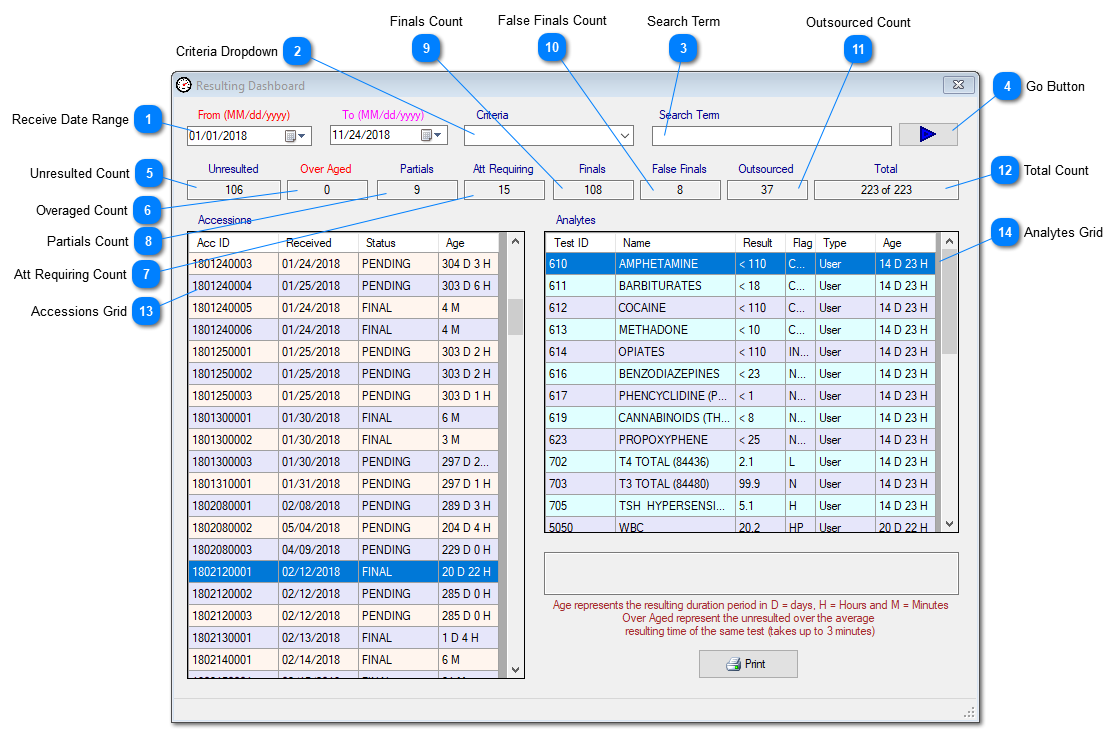
Resulting Dashboard has been added to Prolis for the laboratory personal to find out the resulting status as well as the performance time of the lab techs.
The performance time is represented as the Age in Days, Hours and minutes (if the age is less than an hour).
Instant Procedure:
Upon accessing the screen, the default Receive Date Range is from 'Yesterday' to 'Today' and the command is executed automatically.
To custom filter the data, either select the Accession ID from the Criteria dropdown, enter the accession ID in the Search Term field and click the Go button.
Or Set the desired date range, select the criteria other than Accession ID and click the Go button.
Receive Date Range
Date Range is used to specify a custom 'Receive' date range, of which the data needs to be looked at. The date is the 'Receive' date and the time of the specimen, in to the lab.
The data can be custom filtered by using one criteria (at a time) from the dropdown. The dropdown contains the following options (exclusive to each other);
Accession ID: Selection of this item requires the entry of the accession ID be entered in the Search Term field. Displays the detail of one accession ignoring the selected/displayed date range in the field# 1.
This field displays the accession count of the cases that have not been resulted during the time period the lab usually takes to result the accessions having similar tests otherwise. The logic used in the calculation requires some resulting history of the tests included in the accessions. If the required history does not exist, zero (0) is displayed.
This field displays the count of cases where a neat finalize operation did not occur. Prolis uses a specific logic to finalize an accession that has a number of steps of ensuring all the tests (user induced, reflexed, parent and children) have been resulted and released. The entire operation needs to be completed to yield a correct final otherwise it is a false final case.
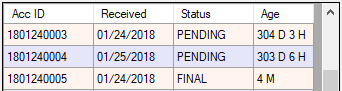
This grid displays the accessions in a tabular form, with the Received Date, Status (Pending, Initial, Partial and Final) and the Age in days, hours and minutes. If the status is pending, the Age is the time period between the Received time and the current time. If the status is Initial, Partial or the Final, the age is the time period between the Received time and the released time of the accession's last test.
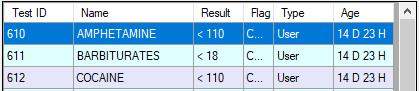
The grid displays the data as Test ID, Test Name, Result, Flag, Test order Type and the Age in Days, Hours and Minutes. If the age is less than one hour, it is displayed in minutes otherwise in days and hours. If the test is resulted, the Age represents the time period between the accession received and the result released otherwise the age represents the time period between the accession received and the current time.