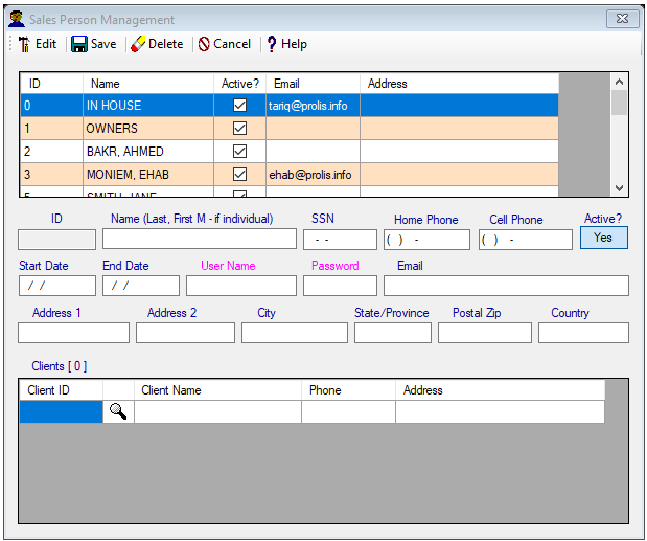
Sales Person Management
Under the Dictionary, the Client Management menu, Prolis provides the routine to manage (add new or edit the existing)
Sales Person (an individual or an entity) along with its association with the lab's clients (physicians, hospitals, nursing
homes, dialysis centers or similar businesses). The sales person's association is also available in the Client Management.
Instant Procedure
a) To add a new Sales Person, click the  mode toggle switch to
  .
.
mode toggle switch to .b) Enter the information, at least the Name field but preferrablely in all the following fields;
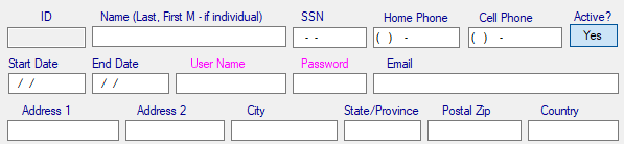
c) Enter the magenta colored fields (User Name and the Password) information if you wish the Sales Person to have the system access via Laboratory's portal (Sales Login).
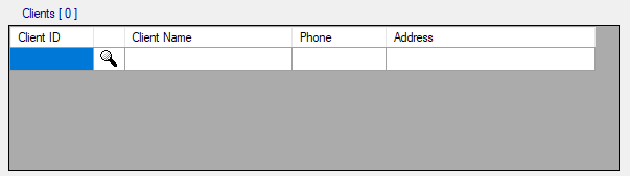
d) To make the Sales Person's association with clients, use the blank row of the Client's grid. Enter the Client ID in the
left most cell to populate the entire row or click the Lookup button (2nd column) for the client entry.
e) Click the Save button 
--------------------------------------------------
f) To edit an existing Sales Person, click the mode toggle switch to if it is in the new mode.
mode toggle switch to if it is in the new mode.g) Using the displayed records, navigate to record to be edited and double click it.
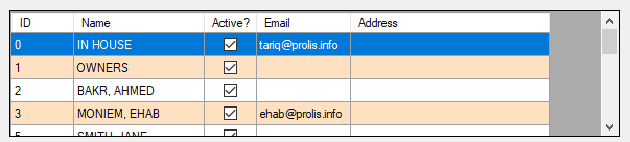
h) Make the required changes in the Sales Person's data fields.
i) Follow step d, to add new client's entry. To delete an existing client, select and delete the client ID and press the
ENTER key.
j) When done with all the changes, click the Save button .
.